You finished the oil change. Or maybe the shop just handed you the keys. Either way, that amber wrench is still glowing on your dashboard, and it’s not going anywhere on its own.
The Honda Pilot’s oil light doesn’t reset itself. It runs on a countdown algorithm, not a physical sensor, so the system has no idea you’ve done anything until you tell it. That means a manual reset is always required — and the steps vary depending on your model year.
This guide covers every Honda Pilot generation from 2003 through 2024, explains what the Maintenance Minder codes actually mean, and clarifies one critical safety distinction that every owner should know before touching the reset button.
Before You Reset: One Safety Warning You Can’t Skip
There are two completely different warning lights that involve oil on a Honda Pilot. Mixing them up can destroy an engine.
The amber/yellow wrench icon is the Maintenance Minder reminder. It means your scheduled oil change is coming up or is overdue. The car is safe to drive for a short period while you arrange service. This is the light this guide helps you reset.
The red oil can symbol is an oil pressure warning. It means the engine is not receiving adequate lubrication — right now. If this light appears while driving, pull over immediately, shut the engine off, and do not restart it. Driving with low oil pressure causes rapid, catastrophic engine damage. Arrange a tow.
If you’re seeing the red symbol, do not follow any reset procedure. The vehicle needs inspection, not a button press.
What Is the Honda Maintenance Minder System?
Honda introduced the Maintenance Minder around 2006 as a replacement for fixed-mileage oil change schedules. Instead of reminding you at every 3,000 or 5,000 miles regardless of conditions, the system calculates oil life based on real driving variables — engine load, operating temperature, trip length, speed, and total mileage.
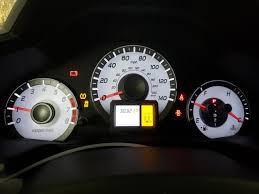
When oil life drops to 15%, the amber wrench appears and service is due soon. At 5%, service is needed immediately. At 0%, the display shows how many miles past due the service is.
The system doesn’t measure oil quality directly. It estimates degradation through math. That’s precisely why a manual reset is required — without it, the system keeps counting down from wherever it left off before the oil change, giving you false service reminders going forward.
Decoding the Maintenance Minder Codes
When the wrench appears, it usually comes with an alphanumeric code. Here’s what each one means:
Main Codes
Code A — Engine oil change only required.
Code B — Engine oil and filter replacement required, plus a multi-point inspection covering brakes, suspension, steering, exhaust, and parking brake adjustment.
Sub-Codes
1 — Rotate tires.
2 — Replace engine air filter and cabin air filter; inspect drive belt.
3 — Replace transmission fluid and transfer fluid (AWD models).
4 — Replace spark plugs; inspect valve clearance. This is a significant service interval.
5 — Replace engine coolant.
A code like B12 means: replace oil and filter, do the inspection, rotate tires, and replace both air filters. Each number stacks onto the primary letter code.
One practical note: even when the system shows Code A (oil only), replacing the filter alongside the oil is still the right call. A used filter from the previous interval defeats the purpose of fresh oil.
How to Reset the Honda Pilot Oil Light — By Generation
Find your model year below and follow the procedure exactly. Timing matters, especially on older models.
Before starting any reset: Turn the engine off, but bring the ignition to the “Run” or “On” position (Position II) so the dashboard lights are active. On push-button start models, press the start button twice without pressing the brake pedal.
2003–2005 Honda Pilot (Gen 1) — Dash Knob Method
These early models use a physical Select/Reset stem on the instrument cluster.
- Turn the ignition to the OFF position.
- Press and hold the Select/Reset knob on the instrument panel.
- While holding the knob, turn the ignition to the ON (II) position. Do not start the engine.
- Continue holding the knob for approximately 10 seconds.
- Release when the maintenance indicator resets and clears.
2006–2015 Honda Pilot (Gen 2) — Two-Step Knob Method
This generation requires a precise two-step sequence. Getting the timing right is the difference between a successful reset and a light that just blinks at you.
- Turn the ignition to the Run position (Engine OFF).
- Press the Select/Reset knob repeatedly until the Engine Oil Life percentage appears in the gauge cluster.
- First hold: Press and hold the Select/Reset knob for at least 10 seconds. The oil life percentage and any displayed codes will begin blinking. This means the system has entered reset mode. Release the knob.
- Second hold (within 5 seconds): Press and hold the knob again for more than 5 seconds. The codes disappear and the oil life resets to 100%.
If the display only blinks and the percentage doesn’t change, the second hold was either too slow or too short. Repeat from Step 3.
2016–2018 Honda Pilot (Gen 3, Phase 1) — Steering Wheel & MID Method
These models use the Multi-Information Display (MID) navigated through the steering wheel controls.
- Turn the ignition to the Run position (Engine OFF).
- Use the Up/Down arrows on the steering wheel to cycle through the MID until the Oil Life or Maintenance screen appears.
- Press and hold the Reset or Enter button on the steering wheel for approximately 10 seconds.
- When the display offers “Cancel” and “Reset” options, use the arrows to highlight Reset.
- Press Enter to confirm. Oil life returns to 100%.
2019–2021 Honda Pilot (Gen 3, Phase 2) — Infotainment Screen Method
Later third-gen models moved maintenance functions into the central touchscreen.
- Turn the ignition to the Run position (Engine OFF).
- Press the Home button on the infotainment panel.
- Navigate to Settings → Vehicle → Maintenance Information. Some trims route through Vehicle Settings → Maintenance Information.
- Select Oil Life.
- Press and hold the Enter or Reset button (steering wheel or screen) for more than 10 seconds.
- When prompted, select the items being reset — such as “Oil and Filter” — along with any applicable sub-codes. Confirm to complete.
2022–Present Honda Pilot (Gen 4) — Modern Touchscreen Method
Fourth-generation Pilots use a more streamlined graphical interface.
- The reset can be done with the engine running or in the ON (II) position.
- Press Home to access the main menu.
- Select Maintenance.
- Choose Oil Life, then press and hold Enter/Select until reset mode activates.
- Choose specific completed items, or select All Due Items to clear all outstanding reminders at once.
- Confirm to finish.
What to Check Before You Ever Hit Reset
The reset is only meaningful if the oil change was done correctly. Here’s what a proper service involves for the Honda Pilot’s 3.5L V6 (J35Y):
Oil type: Use 0W-20 API-certified detergent motor oil (API SN or higher, ideally SP). This spec has applied across most Pilot generations and is not negotiable for long-term engine health.
Oil capacity: The 3.5L V6 takes approximately 5.8 quarts with a filter change. Verify with the dipstick after the engine runs briefly.
The crush washer: The 14mm aluminum crush washer on the drain plug must be replaced at every oil change. Reusing a compressed washer is one of the most common causes of slow oil pan leaks. Torque the drain plug to 30 foot-pounds with the new washer installed.
Oil filter: Always replace the filter. Honda OEM filters are the first recommendation; quality aftermarket filters that meet OEM specs are acceptable. Skipping the filter while changing the oil leaves contaminated filtration in place, which works against the fresh oil immediately.
When the Reset Doesn’t Work
Gen 2 (2006–2015) blinking but not resetting: The second hold was missed or done too slowly. After the initial 10-second hold causes blinking, the second 5-second hold must be executed within 5 seconds of releasing. Repeat the full two-step sequence.
Oil life shows 100% but codes persist: On digital interface models, the oil life and the sub-codes (like B1 or B12) are reset separately. If only the oil life was cleared, the associated sub-codes stay active. Re-enter the maintenance menu and individually reset each remaining code that corresponds to completed service.
Screen navigation not matching these steps: Trim levels and software updates occasionally shift menu labels or paths. If a step doesn’t match your screen, look for “Maintenance,” “Vehicle Settings,” or “Oil Life” as entry points from the home menu.
The Bottom Line
Resetting the Honda Pilot oil life indicator is a simple task — once you know which method applies to your year. The system is designed to give you accurate service timing, but it depends entirely on a manual reset after each oil change to stay calibrated.
Follow the correct procedure for your generation, verify the oil change meets Honda’s technical specs, and replace the crush washer every time. Do those things consistently, and the Maintenance Minder becomes one of the most useful tools in the vehicle rather than just another light to dismiss.
Frequently Asked Questions
Can I reset the oil light without changing the oil? Yes, mechanically you can. But doing so defeats the purpose of the Maintenance Minder entirely. The system will calculate future service intervals based on a false starting point, causing you to either over- or under-service the engine. Always change the oil first.
What happens if I never reset the oil light after a change? The system keeps counting down from its pre-service percentage. You’ll get inaccurate service reminders and may miss actual maintenance deadlines. Reset it every time.
Is the Honda Pilot oil light the same as an oil pressure warning? No. The amber wrench is a scheduled service reminder. The red oil can symbol is an oil pressure emergency. These are fundamentally different warnings requiring completely different responses.
My 2009 Pilot only blinks when I try to reset — what’s wrong? You completed the first hold but missed the second. After the light blinks, you have roughly 5 seconds to press and hold the knob again for at least 5 more seconds. That second hold completes the reset.
How often should I actually change the oil on a Honda Pilot? Follow the Maintenance Minder rather than a fixed mileage schedule. Under normal driving conditions, most owners see oil change intervals between 5,000 and 10,000 miles. Severe-use driving (frequent short trips, extreme temperatures, towing) will shorten those intervals.
Do I need to reset each sub-code separately? On touchscreen-equipped models (2019 and newer), yes — the system allows individual sub-code resets. Only reset codes for services you’ve actually completed. Resetting everything at once when only the oil was changed will mask upcoming maintenance reminders.